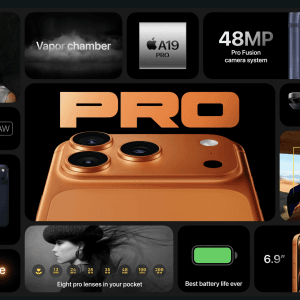
When Apple unveiled the iPhone 17, the spotlight was mostly on the ultra-thin design, upgraded camera, and new chip. But after using it for a few weeks, I noticed there are a lot of smaller details that Apple never really talked about — features that quietly make a difference in daily use.
I’ve been testing the iPhone 17 Air myself (yes, the thinnest one Apple’s ever made, as confirmed on Apple’s official iPhone 17 page), and here are 10 hidden features that Apple didn’t highlight — but are worth knowing.
1. Subtle Haptic Feedback in Apps
The iPhone 17’s Taptic Engine feels more refined. You’ll notice it when typing or scrolling through menus — the small haptic vibrations feel more precise and responsive, especially compared to the iPhone 14 and 15.
👉 Try it in the Weather app or Notes — it’s smoother and somehow “softer” to the touch.
2. Smarter Ambient Display
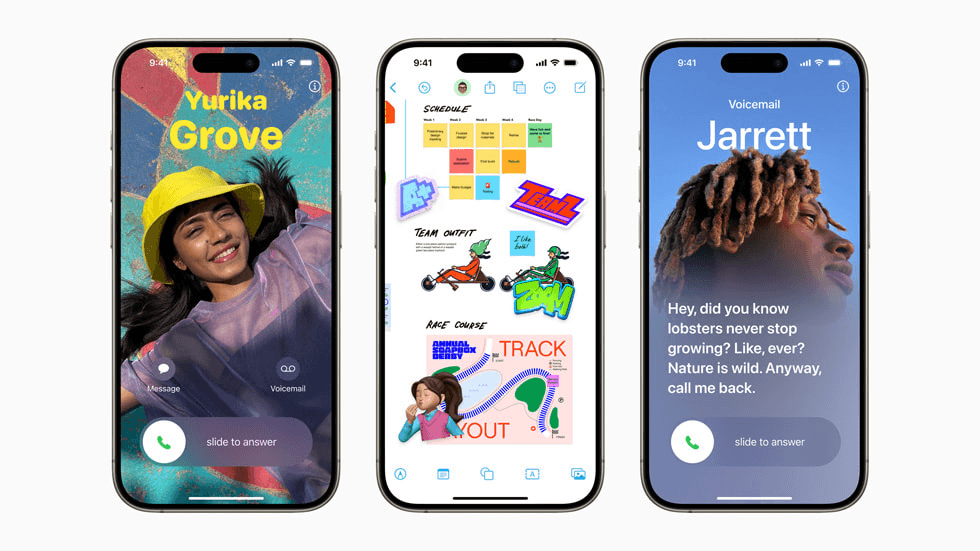
According to MacRumors, Apple has quietly improved the ambient display system, allowing it to adapt brightness and tone based on content, not just lighting.
For example, when you’re watching a video, the tone shifts warmer — helping reduce eye strain at night.
3. Photo Cleanup Tool (Enhanced by Apple Intelligence)
First introduced in iOS 18, now improved in iOS 26, the Photo Cleanup feature lets you remove unwanted people or objects in seconds.
It’s Apple’s answer to Android’s “Magic Eraser,” but it feels more natural because it blends edits seamlessly.
📸 Learn more about this feature in detail here:
👉 The New Photo Cleanup Tool in iOS: How It Works and Why Apple’s Late AI Move Might Still Win
Just as hidden OS features quietly change user workflows, many creators quietly rely on AI tools — check out How YouTubers Use AI for Scripts and Thumbnails (2025 Guide) for practical examples.
4. Adaptive Performance Mode
Hidden in Settings → Battery, there’s now a new Adaptive Performance toggle.
This feature, briefly mentioned by early reviewers on MacRumors’ iPhone 17 overview, automatically balances CPU and GPU power depending on your activity — extending battery life without noticeable lag.
5. Better Heat Management
Thanks to its thinner titanium body and redesigned internal structure, the iPhone 17 stays cooler even during heavy gaming or charging.
This isn’t something Apple emphasized on its official iPhone 17 product page, but you’ll definitely feel the difference after long gaming sessions.
6. Hidden Gestures in Control Center
The redesigned Control Center (available in iOS 18 and above) now supports custom gestures — like double-tapping to toggle an action or long-pressing Wi-Fi to switch networks faster.
You can customize these gestures in Settings → Control Center → Gestures.
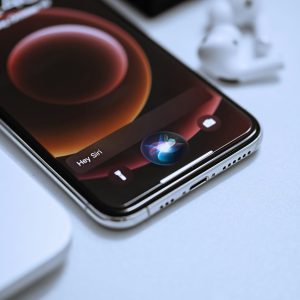
7. Faster Offline Siri
With Apple Intelligence, Siri now works offline for basic actions like setting alarms, sending messages, or opening apps — and it’s impressively quick.
This upgrade is part of Apple’s new on-device AI system, which the company proudly explains on its Apple Intelligence introduction page.
8. Safari Reading Mode with AI Summary
If you open an article in Safari and tap the “Reader” button, you’ll notice a new AI-generated summary at the top.
This small addition is powered by the same local intelligence that drives Siri — again, part of Apple’s push toward privacy-focused AI instead of relying entirely on the cloud.
9. AirPods Pro Audio Tuning (iPhone 17 Exclusive)
When connected to AirPods Pro, your iPhone 17 uses AI-based ear mapping to optimize sound based on your ear canal shape.
It’s a small but noticeable upgrade that improves clarity and bass response. Tech reviewers, including MacRumors, have confirmed that this tuning mode is unique to the iPhone 17 lineup.
10. Subtle AI in the Background

Apple doesn’t brag about it, but a lot of the smaller iOS improvements — from autocorrect to Mail suggestions — are now powered by on-device Apple Intelligence.
It’s not just cloud AI; it’s personal, private, and fast.
While discovering those hidden iPhone 17 tricks, you might also want to read why many users still find the base iPhone 15 the best value in 2025 before deciding to upgrade.
Bonus : iPhone Mirroring
One feature that still feels surprisingly under-the-radar is iPhone Mirroring. Apple didn’t spend much time highlighting it, but in real-world use, it turns out to be far smoother and more practical than expected. I shared my firsthand experience in this iPhone Mirroring hands-on article.
👉 https://christechno.com/2024/10/03/the-new-iphone-mirroring-surprisingly-smooth/
Final Thoughts
The iPhone 17 might not look revolutionary at first glance, but when you dig deeper, it’s full of hidden intelligence that changes how you use your phone.
Most of these features run quietly in the background — but once you notice them, you’ll appreciate how much smoother and smarter the experience feels.
While investigating hidden features in the iPhone 17, it’s worth noting how the Galaxy Z Flip’s cover screen offers a unique advantage that many reviewers overlook.