Every modern company sits on a goldmine of data, but almost none of it lives in the same place.
If you work in a mid-to-large organization, you already know this headache firsthand. Your core transactional records are buried inside an enterprise SQL server. Your operational teams send crucial weekly performance updates in Microsoft Excel spreadsheets over email or chat. Your archive reports sit on a legacy FTP server, while your sales and marketing metrics live behind third-party web dashboards.
In my previous project, I faced this exact chaos. We had sales records, customer profiles, product descriptions, market strength indicators, and billing histories—all completely isolated from one another.
When leadership asks a simple cross-functional question like “Which regions saw a drop in sales this month, and what were the main customer billing issues in those accounts?”, answering it manually requires opening five different browser tabs, downloading three spreadsheets, running an SQL query, and spending hours merging the mess together.
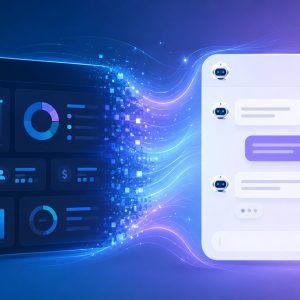
To solve this, I built a system called Catalyst AI—a conversational interface that unifies these fragmented sources into a single intelligent context layer. Instead of clicking through static charts, we can now simply talk to an AI that understands our organization’s full history, operational pain points, and growth metrics.
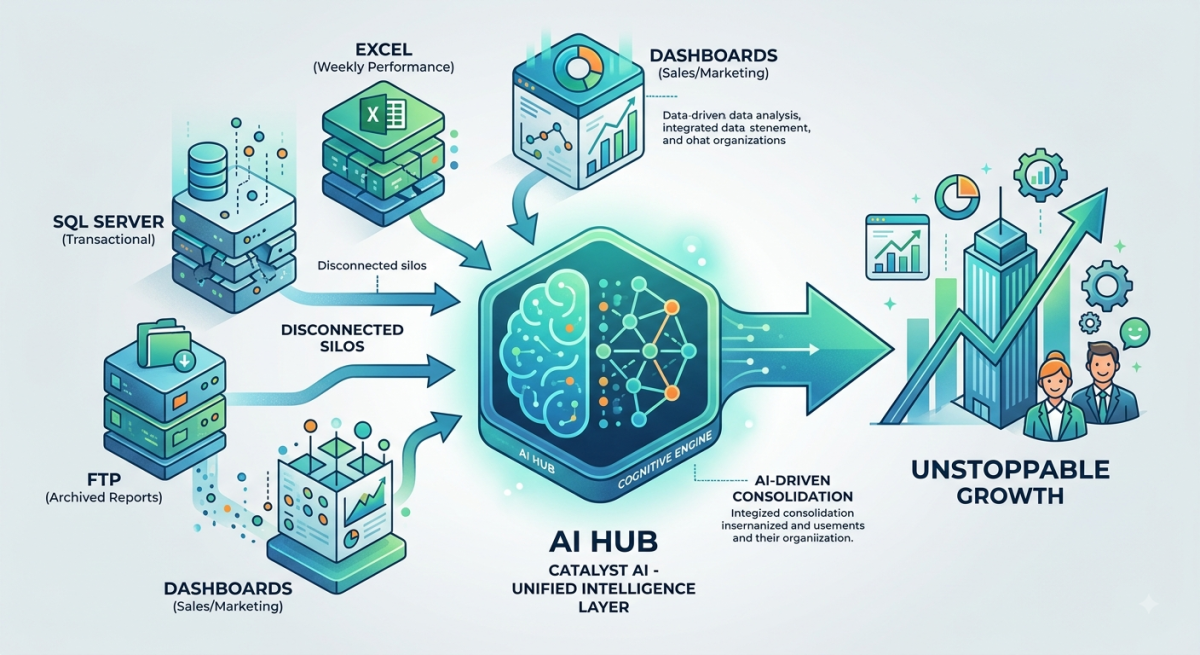
Here is how you can achieve this exact same result for your organization without getting bogged down in years of enterprise red tape.
The “Enterprise Data Lake” Trap vs. Real-World Execution
When developers and IT leaders discuss combining fragmented enterprise data, textbooks almost always advocate for massive, end-to-end data pipelines. They tell you to set up expensive cloud warehouses on platforms like Snowflake or Databricks, hire a dedicated team of data engineers, and connect every system via real-time APIs using tools like Apache Airflow.
While that sounds ideal on a slide deck, real-world execution quickly hits major roadblocks:
- API Limitations & Legacy Systems: Many internal dashboards and legacy web apps simply do not expose public APIs.
- Permission Bottlenecks: Getting corporate IT approval for direct database connections or cross-departmental API tokens can take months of meetings.
- Failed Integration Risks: One breaking API change or network timeout from a third-party vendor can shatter your entire automated data pipeline.
When I started my project, I decided not to wait for a two-year enterprise infrastructure overhaul. Instead, I took a far more pragmatic route.
5 Ways to Combine Fragmented Enterprise Data
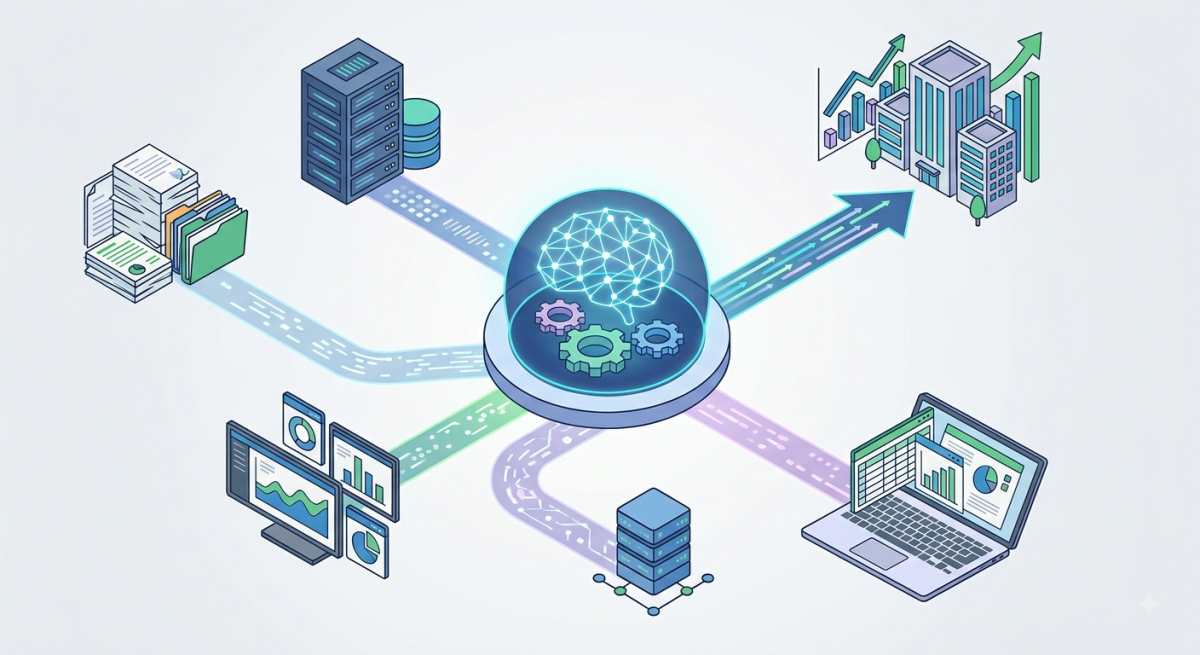
A visualization of five distinct architectural approaches to unify scattered enterprise data sources into a cohesive AI system.To build an AI that can answer complex operational questions, you need a way to pool your data together. Depending on your team’s budget, access levels, and technical resources, here are the five main architectural approaches available today:
1. The Pragmatic Staging Pool (My Recommended Approach)
Instead of fighting API access permissions across five departments, you extract raw files using the simplest methods available—manual downloads, web scrapers, automated FTP syncs, or custom API scripts—and dump them into a dedicated, self-managed database pool.
- How It Works: You set up a clean, isolated database (like PostgreSQL or MySQL). Cron jobs handle scheduled downloads for FTP files, APIs, and dashboard scrapers. For manual files like weekly Excel sheets, team members drop them into a simple staging folder.
- Why It Wins: You get total control. If one department changes its Excel layout, you can update that single table schema independently without breaking the rest of your AI’s knowledge base.
2. ETL / ELT Data Warehousing
This is the traditional enterprise architecture where automated pipeline tools pull data directly from source systems, clean it, and load it into a centralized cloud warehouse.
- Best For: Large organizations with dedicated data engineering teams, high software budgets, and full administrative access to all underlying databases.
3. Data Virtualization & Federated Queries
Rather than physically copying data into a new location, virtualization engines like Trino connect to your SQL databases, spreadsheets, and APIs simultaneously, running unified queries across all sources in real time.
- Best For: Organizations that strictly forbid duplicate copies of sensitive data and require zero-latency updates.
4. Hybrid Structured + Unstructured Indexing
For organizations whose data consists of both relational metrics (SQL/Excel) and qualitative documentation (PDF contracts, customer service chat logs, or policy docs), you pair a standard SQL database with a vector index or Knowledge Graph.
- Best For: Complex RAG (Retrieval-Augmented Generation) applications that need to cross-reference hard financial numbers against soft textual policies.
5. Multi-Agent Autonomous Routing
Instead of centralizing the data, you deploy specialized AI sub-agents. One agent queries your SQL database, another parses Excel sheets, and a primary manager agent synthesizes their individual responses into a final answer.
- Best For: Highly modular systems where data sources are constantly being added or removed.
How We Built Catalyst AI
For my project, the Pragmatic Staging Pool was the clear winner.
By taking control of our own staging database, we decoupled the ingestion layer from the AI application. Once the data was safely pooled into clean tables, connecting the LLM interface was straightforward. If you want to dive deeper into the exact backend mechanics of setting up a conversational interface over structured data, check out my step-by-step breakdown on building a business intelligence AI bot for enterprise operations.
The impact was immediate. By combining previously separated datasets—like aligning monthly billing records with regional market strength metrics—the AI didn’t just summarize past activity; it started highlighting hidden churn risks and forecasting potential growth opportunities.
If you are a solo developer or working within a lean team, you don’t need a huge budget to start prototyping systems like this. You can easily build working prototypes by leveraging free AI code generation tools for real projects.
Security and Data Privacy Must Come First
When you unify sensitive business data—financials, customer details, and market strategy—security cannot be an afterthought.
To keep your enterprise data safe:
- Enforce Strict Authentication: Secure your web interface behind Multi-Factor Authentication (MFA) and Role-Based Access Control (RBAC).
- Protect Data Privacy: Ensure your LLM API provider explicitly offers zero-data-retention agreements so your confidential corporate metrics are never used to train public models.
- Explore Private Deployment: For highly confidential environments, running privacy-focused models locally or on dedicated hardware is becoming the gold standard. To understand where local processing is heading, read more about the future of on-device AI and local LLMs.
The Bottom Line
You do not need to wait two years for corporate IT to build a perfect Data Lakehouse before your company can benefit from artificial intelligence.
By taking a pragmatic approach—extracting your scattered SQL tables, Excel sheets, FTP files, and dashboard exports into a central, decoupled staging pool—you can build an intelligent conversational bot today. Unifying your organization’s fragmented context is the single fastest way to eliminate operational friction, uncover hidden market opportunities, and make better decisions in a fraction of the time.