When Apple rolled out the latest Siri upgrades across macOS 27 and iOS 27, I really wanted to be sold on it. As someone who spends hours every day writing code, running custom scripts, and managing digital products, the idea of a deeply integrated voice and system assistant living directly inside my Mac’s architecture felt like the ultimate productivity upgrade.
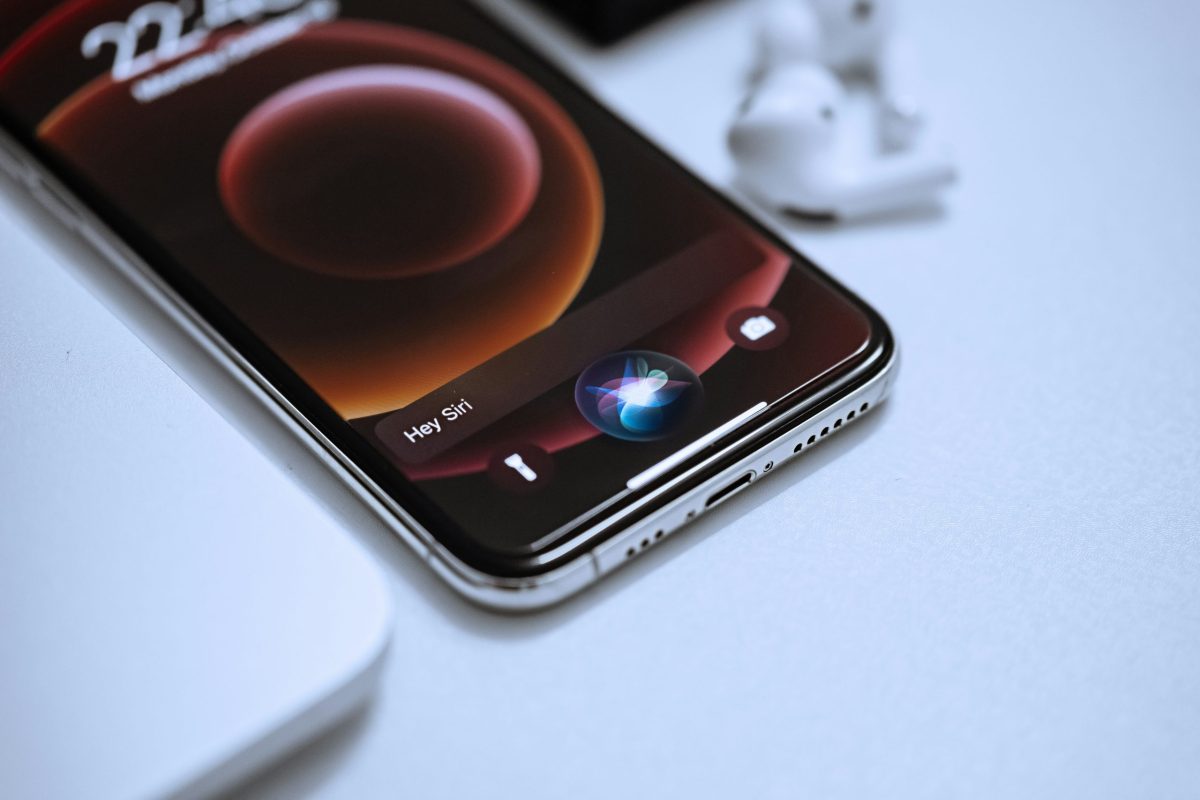
For the first few days, the honeymoon phase was real. Siri is undeniably faster and genuinely useful now. Triggering system toggles, running device commands, and especially using its new on-screen awareness via Spotlight felt like magic. Being able to pop open Spotlight, have Siri instantly read whatever code, document, or webpage is active on my display, and ask quick questions about it without manually copying and pasting is an incredible UI upgrade.
┌─────────────────────────────────────────────────────────────────┐
│                       SPOTLIGHT & SIRI                          │
│  [ Ask Siri about this screen...                           ]    │
└─────────────────────────────────────────────────────────────────┘
         │
         ├───► Reads active windows instantly
         ├───► Quick screen context queries
         └───► Great for swift OS-level answers
It is easily one of the best additions to macOS 27. But once the novelty of quick screen-scanning wore off and I tried slotting Siri into my actual daily engineering, drafting, and problem-solving workflows, I hit a hard ceiling.
Despite Apple’s massive strides in on-device AI, I keep finding myself switching right back to Google Gemini and ChatGPT for serious, practical work. Here is why Siri still isn’t ready to take over as my primary AI companion.
1. On-Screen Awareness is Great, But Proofreading Still Lacks Context Depth
While Siri can read what is currently on my screen through Spotlight, its ability to comprehend and apply long-term context during writing tasks falls short.

When I feed an article draft into an AI model, I don’t just want basic grammar corrections—I want a thought partner that understands tone, audience nuances, and structural flow. Before asking Siri to review a draft, I gave it extensive background context regarding my site’s target audience, technical depth, and preferred voice. Yet, when I asked it to proofread, the feedback was frustratingly generic. It gave me high-level advice like “try making the introduction shorter”or “use clearer transitions,” completely ignoring the detailed guidelines I had just provided.
When I run the exact same draft through Gemini, it retains the surrounding context effortlessly. It suggests active phrasing, flags structural inconsistencies, and refines my prose while preserving my personal voice. On-screen scanning helps Siri see your text, but it doesn’t mean it understands where you want to take it.
2. Coding and Debugging Aren’t Even Close
If you build software, write custom scripts, or do web development, code generation precision is non-negotiable. This is where the gap between Apple’s on-device assistant and dedicated large language models becomes a chasm.
When I throw a vague or complex programming request at Gemini—such as explaining a logic bug or requesting a quick Python script to process a dataset—it consistently outputs complete, error-free, and well-structured code on the first try. It spots syntax errors in seconds and formats everything into clean, copy-ready blocks.
Siri struggles with multi-line code generation and complex logic. It either oversimplifies the solution to the point of being useless or throws vague execution errors. When I’m working inside my IDE, I still rely heavily on the built-in GitHub Copilot extension in VS Code or open a dedicated browser tab for Gemini to handle heavy algorithmic lifting.
If you are interested in how dedicated models handle complex business logic, I previously wrote about building a custom business intelligence AI bot for enterprise operations, where precise data handling and context memory are absolute necessities.
3. Image Playground Breaks Down Under Complex Prompts
Apple made a big deal about Image Playground in the latest OS update, and to its credit, simple image generation works great. If you ask it for something straightforward like “a golden retriever wearing glasses,” the output is crisp, high quality, and renders almost instantly.
However, the moment you push it past basic consumer prompts, the system chokes. I tested it with a more detailed, multi-entity prompt:
“Give me an image showing a competition between Siri, ChatGPT, Gemini, and Claude.”
Instead of attempting to synthesize the prompt, Image Playground threw a generic error: “Try describing something different.”

The combination of strict safety guardrails and limited prompt understanding makes Image Playground feel more like a fun toy for generating emojis or simple avatars rather than a serious creative tool. Compare that to modern image generators or free AI e-commerce branding tools, which can handle intricate composition, multi-subject scenes, and precise design directives without throwing a fit.
4. Aggressive Guardrails and Safety Over-Filtering
Apple’s obsession with user privacy and safety is a double-edged sword. While it’s reassuring from a data security standpoint, it makes Siri overly cautious to a fault.
Beyond failing complex image prompts, Siri frequently refuses to process requests involving edge-case scripting, web data extraction, or competitive market analysis. Instead of offering a helpful or disclaimed response, it defaults to a polite version of “I can’t help with that.”
Dedicated AI engines like Gemini manage to balance safety with user agency much better, providing nuanced technical answers without shutting down the query entirely.
5. It Operates as a Task Runner, Not a Thought Partner
Perhaps the biggest fundamental issue is how Apple designed Siri’s interaction loop. Siri is built around a transactional model: you give a command, it executes a short task, and the loop closes.
Real work doesn’t happen in single transactions. When I am designing a new feature or troubleshooting an operational bottleneck, I need an iterative whiteboard. I start with a rough idea, push back on the AI’s suggestions, refine the scope, and build the final deliverable over a 30-minute session.
Gemini thrives in this long-form conversational style. Siri, even with its latest macOS updates, quickly loses track of earlier nuances when a conversation pivots or grows in complexity.
6. Web Research Depth and Live Source Synthesis
When I need to research a recent tech trend, a newly released framework, or a specific API bug, I need an AI that can crawl live sources, cross-reference documentation, and synthesize a cohesive summary.
When you ask Siri a technical research question, it often defaults to serving a list of web search links or summarizing a single top-ranking web snippet. It doesn’t connect the dots across multiple sources. Gemini, leveraging Google’s indexing infrastructure, synthesizes live web data into actionable technical breakdowns, complete with source citations. You can explore Google’s official Gemini documentation to see how deep their real-time retrieval capabilities go.
The Final Verdict: Assistant vs. Collaborator
Apple has successfully turned Siri into a fantastic OS operator. The screen-awareness feature built into Spotlight is genuinely convenient, and for quick system queries, it saves a ton of time.
But there is a distinct difference between an assistant that sees your screen and a collaborator that helps you do your job. For writing, programming, complex reasoning, and deep research, Gemini remains my default driver. Siri might control my Mac, but Gemini runs my workflow.
I’d love to hear how you’re using the new OS update. Have you managed to integrate Siri’s on-screen awareness into your daily workflow, or are you still relying on external LLMs? Let me know in the comments!
Ready to Scale Your Business to the Next Level? Stop letting manual workflows and complex technical bottlenecks slow down your growth. Whether you need custom automation scrapers, operational AI agents, or high-performing web platforms, I am here to engineer digital solutions tailored directly to your goals. Let’s collaborate and explore our web, automation, and AI services to build smart, scalable systems that drive real impact for your team!