At WWDC 2025, Apple officially announced iOS 26, skipping straight from iOS 18 to 26 in a surprising branding twist. While it hasn’t been released yet, the update is already creating waves—thanks to its futuristic new look, powerful on-device AI tools, and a redesigned iPhone experience. But the version number jump has also sparked debate.
Here’s everything you need to know about iOS 26, from its expected release date to its features and eligible devices.
🚀 Why Jump from iOS 18 to iOS 26?

Apple hasn’t given a detailed explanation, but the most common theory is unification across platforms. With visionOS moving quickly, and iPadOS, macOS, and iOS updates happening in sync, the name jump likely brings versioning under one umbrella. Still, many fans on social media have voiced confusion—and even frustration—over the skip.
📅 When Will iOS 26 Be Released?
- Developer Beta: Available now for Apple Developer Program members
- Public Beta: Expected in July 2025
- Official Release: Likely in September 2025, alongside the iPhone 17 series
Apple has not confirmed the exact public release date, but it typically aligns with the fall iPhone launch cycle.
📱 Which Devices Can Run iOS 26?
Apple has officially confirmed that iOS 26 will support the following devices:
- iPhone 15 series and iPhone 14 series
- iPhone 13, iPhone 12, iPhone 11
- iPhone XS, iPhone XR
- iPhone SE (2nd gen and later)
It appears that iPhone X and iPhone 8 will not receive the update.
See the official list from Apple here
✨ iOS 26 Key Features (In Depth)
🍶 1. Liquid Glass UI

A completely redesigned interface inspired by visionOS. This brings:
- Translucent panels
- Frosted-glass elements
- Smooth layered effects
- New animations and blur styles across apps
It feels more 3D and immersive, making iOS look truly next-gen.
🤖 2. Apple Intelligence AI
Apple’s answer to on-device AI is now deeply baked into iOS:
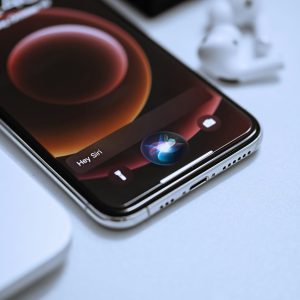
- Siri 2.0 now understands context, tone, and intent better than ever.
- Live Translation works across calls, FaceTime, and Messages
- Genmoji lets you create custom emojis with AI prompts
- Image Playground allows image generation right inside Messages and Notes
- Smart Writing Tools help rewrite, proofread, and summarize content system-wide
This is Apple’s biggest AI leap since Siri first launched.
📱 3. Smart Lock Screen Dashboard
While charging, your iPhone turns into a personal dashboard, showing:
- Calendar events
- Weather updates
- HomeKit camera feeds
- Live Activities
This is especially handy when your iPhone is on a stand at your desk or nightstand.
📷 4. Revamped Apps
- Camera: Enhanced UI and new filters
- Safari: Visual refresh and better ad blocking
- Messages: Now supports polls, backgrounds, and money requests
- FaceTime: Real-time translation, better video filters
🧠 5. Visual Intelligence & System-Wide Image Understanding
You can now analyze screenshots or photos to extract text, identify people, and even suggest actions like calendar scheduling or app launching.
🎮 6. New Games App
A new central hub to:
- Access all installed games
- Track progress
- Connect with Game Center friends
This makes iOS feel more like a real gaming platform.
🚗 7. CarPlay and Phone Updates
- Smarter Call Management: With “Hold Assist” and live call transcripts
- Compact Call Banners
- Live Messages & Widgets on CarPlay
This helps reduce distraction while driving and adds AI-powered control.
🔋 8. Battery Health+ and Heat Management
iOS 26 introduces a thermal-aware AI system to optimize battery usage during gaming or charging. You’ll also see more detailed battery diagnostics in Settings.
🎧 9. AirPods Enhancements
- Head gesture controls
- In-ear photo shutter
- Voice isolation for clearer calls
This is a subtle but meaningful improvement to how AirPods interact with your iPhone.
With iOS 26 bringing smarter audio integration, I also looked at how affordable wireless earbuds stack up — see my thoughts in the Xiaomi Buds 6 review.
♿ 10. Accessibility Upgrades
- Full Braille display support
- New Personal Voice tools
- Improved Live Listen
- Accessibility Reader with summarization support
Apple continues to make iPhones more usable for all.
Final Thoughts
Personally, I’m excited about the Liquid Glass design—it’s the most elegant update Apple has rolled out in years. Also, Siri finally feels like it’s catching up to ChatGPT, which makes everyday tasks smoother and smarter. The version name jump is odd, sure—but if it comes with features like this, I’m all for it.
If you follow iOS updates, you might want to read how I fixed my iPhone 12 after it got stuck on the Apple logo — only DFU Mode worked after trying everything: https://christechno.com/2025/10/10/iphone-stuck-apple-logo-dfu-mode/
📎 Read more on Apple’s official iOS 26 Preview
🔗 Explore more articles in our Gadgets category