After spending some time exploring iOS 18, I can confidently say that Apple’s latest operating system is packed with features that genuinely enhance the user experience. From small tweaks that improve everyday tasks to significant overhauls that redefine how we interact with our devices, iOS 18 is truly a step forward. Let me walk you through some of the standout updates that I’ve personally found exciting.

1. Smarter Siri with Contextual Awareness
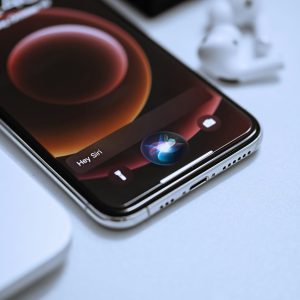
One of the first things I noticed after installing iOS 18 is how much smarter Siri has become. The new contextual awareness makes conversations with Siri feel more natural. I tested this by sending a message via Siri and then following up with, “Tell them I’ll be there in 15 minutes.” Siri knew exactly what I meant without asking for more details. This makes multi-tasking easier, especially when you’re driving or on the go.
2. Proactive Privacy Features
Apple’s commitment to privacy has always stood out, and iOS 18 takes it up a notch. I love the Privacy Dashboard, which gives me a clear breakdown of how apps use my data. It’s been eye-opening to see real-time notifications when apps access my location or camera. This feature alone makes iOS 18 worth the upgrade if you’re serious about protecting your data.
3. Put App Icons Anywhere on the Screen
Now, this might sound like a small feature, but being able to place app icons anywhere on the screen has been a surprisingly liberating experience. I’m no longer restricted by that rigid grid system! After trying it out, I customized my home screen by placing my most-used apps in the bottom corners for quick access, leaving the middle clear for a cleaner look. It’s such a small change, but it makes the home screen feel more personal and less cluttered.

4. Send Later in iMessage
For all the iMessage fans out there, the Send Later feature is a game changer! I’ve already found myself using it to schedule messages when I know someone is in a different time zone or during busy work hours. You can easily set a time for when the message should be delivered, which is perfect for those moments when you think of something but don’t want to send it right away. It’s a simple, yet incredibly handy feature that I’ve quickly grown to appreciate.
5. Revamped Lock Screen Customization
Building on previous lock screen customization, iOS 18 lets you add dynamic widgets that adapt based on time and location. For example, in the morning, I set a widget to show my calendar and fitness stats. In the evening, it automatically switches to display my upcoming tasks for the next day. It’s been useful, especially when you want quick info at a glance without opening multiple apps.
6. Expanded Focus Modes
I tested out the new automated Focus Modes, and they’ve been great for maintaining a healthy work-life balance. I set up a work focus that activates when I arrive at my office and a personal focus when I leave. What’s really cool is that I can allow certain notifications to come through during different modes, making it easier to stay on top of important messages without getting distracted by everything else.
7. Interactive Home Screen Widgets
I was already a fan of home screen widgets, but the new interactive widgets in iOS 18 take it to another level. Now, I can control my music directly from the widget or mark tasks as done in my to-do list, all without opening the app. It saves so much time, and I’ve found it especially useful for managing my smart home gadgets — adjusting lights and thermostats straight from the home screen feels like a real power move.

8. AI-Powered Messaging Enhancements
Messages just got smarter. iOS 18 introduces AI-powered text summarization, and I tested this with a long group chat. Instead of scrolling through endless messages, iOS 18 offered a neat summary of the key points. It’s perfect for staying on top of busy conversations without missing anything important. There are also auto-reply suggestions that feel surprisingly personal and on-point based on the context of incoming messages.
9. Augmented Reality (AR) on a New Level
After playing around with the advanced AR capabilities in iOS 18, it’s clear Apple is building a robust foundation for future AR innovations. I tried a few AR games and was blown away by how real and interactive the experiences felt. With better object scanning and more accurate real-time placement, it’s exciting to think about where Apple will take this next, especially with rumors of a new AR headset on the horizon.
10. Performance and Battery Efficiency
I’ve noticed a significant improvement in battery life after updating to iOS 18. Even with all the new features, background tasks seem to consume less power, which is great news for those of us with older iPhones. Apps launch faster, and overall system performance feels snappier, even when multitasking with multiple apps open at once.
11. Revamped Control Center
One of the standout changes in iOS 18 is the new Control Center. Apple has made it more customizable and user-friendly. Now, you can rearrange toggles and shortcuts, and even add third-party app controls directly to the panel. During my time with it, I loved how smooth it was to access my most-used functions. I rearranged my Control Center to have quick access to focus modes, smart home controls, and my media player, making it a lot more convenient. This update gives users a more tailored experience without having to dive into multiple menus.

Final Thoughts
After exploring iOS 18 firsthand, it’s clear that Apple has packed this release with features both big and small that elevate the iPhone experience. From the customizable app placement on the home screen to the Send Later option in iMessage, these little updates have made a surprisingly big impact on my daily routine. The larger improvements like interactive widgets, privacy enhancements, and AR capabilities make iOS 18 a worthy upgrade for any iPhone user.
If you’re looking for an operating system that’s smart, intuitive, and ready for the future, iOS 18 is the update for you. Don’t hesitate to try it out and experience all the exciting features yourself. You can check out more details on the official iOS 18 page from Apple. For more reviews and updates on gadgets, be sure to visit the gadgets category on my website.