An e-Stamp is an electronic stamp that is legally valid and holds the same legal power as a physical stamp. The use of e-Stamps has increased along with the digitization of various aspects of life, including legal documents. Here is a complete guide on how to apply an e-Stamp to a document from start to finish:
1. Prepare the Document
Before applying the e-Stamp, make sure that the document you wish to stamp is ready and in digital format. Generally, the document must be in PDF format, as e-Stamps are usually applied to documents in this format.
- Check Document Eligibility: Ensure that the document meets the requirements for an e-Stamp. Documents that typically require stamps include:
- Contracts or agreements.
- Notarial deeds.
- Documents related to certain financial transactions.
2. Purchase e-Stamp
To purchase an e-Stamp, you can visit the official site of the e-Stamp provider, such as the official portal from Peruri (the state-owned security printing company in Indonesia). The steps to purchase an e-Stamp are as follows:
- Register: Create an account on the e-Stamp provider’s website if you don’t have one yet. Registration will require personal data such as name, email address, and phone number.
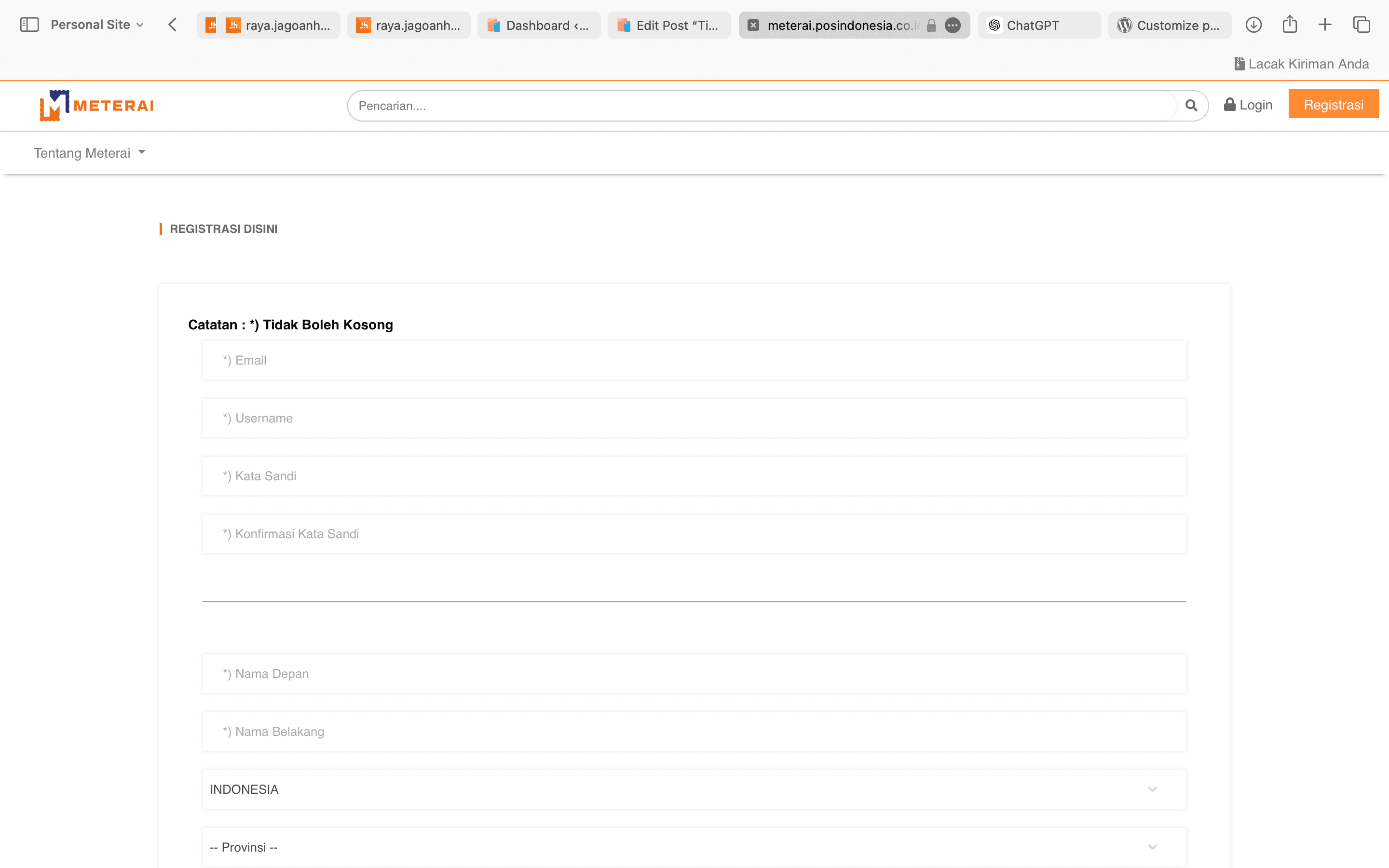
- Login: Log in to your account after successfully registering.
- Select e-Stamp: Choose the number of e-Stamps you wish to purchase. The available e-Stamp denomination is currently IDR 10,000 per stamp.

- Payment: Make a payment using the provided methods, such as bank transfer, e-wallet, or other digital payment methods.
- Receive e-Stamp: Once the payment is successful, the e-Stamps will be available in your account and ready for use.
3. Applying the e-Stamp to the Document
After purchasing the e-Stamp, you can start applying it to the prepared document. Here are the steps:
- Upload the Document: Open the e-Stamp portal and log in to your account. Upload the document that needs to be stamped.
- Determine Stamp Position: Choose the position where the e-Stamp will be applied on the document. Make sure the placement does not obstruct important text in the document.
- Apply the e-Stamp: Select the e-Stamp you have purchased, then apply it to the chosen position. The system will automatically place the e-Stamp on your digital document.
- Verify and Confirm: After applying the e-Stamp, the system usually prompts you to perform a final verification before completing the process. Review your document to ensure the stamp is correctly placed.
4. Download and Save the Document
After the e-Stamp application process is completed and verified, download the document and save it in a secure location. This document is now legally valid and can be used as needed.
5. Check the Authenticity of the e-Stamp
To ensure that the applied e-Stamp is genuine and valid, you can verify it through the official website of the e-Stamp provider. Here are the steps:
- Go to the Verification Portal: Visit the official website of the e-Stamp provider and look for the verification section.
- Upload or Enter the Verification Code: Upload the document or enter the unique code found on the e-Stamp for verification.
- View Verification Results: The system will display the verification results indicating whether the e-Stamp is authentic or not.
6. Use the Document with the e-Stamp
Once the document is stamped with an e-Stamp and its authenticity is verified, it is ready for use. The document can be used for various purposes, such as contract submission, agreement transactions, and other legal matters.
Tips and Considerations:
- Do Not Share the e-Stamp Code: The unique code on the e-Stamp should only be known to the owner. Avoid sharing this code with others to prevent misuse.
- Be Aware of the Validity Period: e-Stamps have a validity period. Make sure to use the e-Stamp before it expires.
- Keep Proof of Purchase: Always keep proof of e-Stamp purchase as a record in case it is needed in the future.
By following the steps above, you can easily apply an e-Stamp to a digital document and ensure that the document is legally valid. Digitalization through e-Stamps offers convenience and efficiency in administrative processes, especially in the digital era today.
Example URLs for e-Stamp Providers:
- Peruri – Official provider of e-Stamps in Indonesia:
https://e-meterai.co.id - Pos Indonesia – Alternative platform for purchasing and applying e-Stamps:
https://e-meterai.posindonesia.co.id - Mandiri e-Stamp – One of the banks that collaborates with Peruri for e-Stamp purchases:
https://e-meterai.mandiri.co.id
You can visit these websites to purchase e-Stamps and follow the provided instructions to apply e-Stamps on digital documents.