Apple’s latest macOS release, Sequoia, has landed, and after spending a few days with it, I have to say—it’s a game-changer. There’s just something about the new features, the smoothness, and the overall feel that makes it more than just a simple OS update. Let me break down my experience and why you’ll want to get your hands on this update ASAP.

The First Look: Smooth and Clean
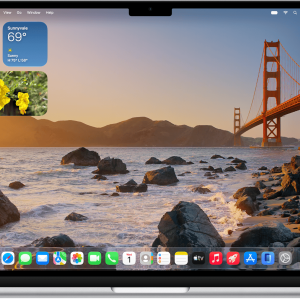
Right after updating to macOS Sequoia, the first thing I noticed was how clean and sleek everything looked. The icons have had a slight refresh, and the overall design feels more streamlined, giving the desktop a more modern vibe. Navigating between apps feels smoother, and I can definitely feel the system’s optimization at work. It’s like they took what was already good and polished it up even more.
Widgets Right on the Desktop
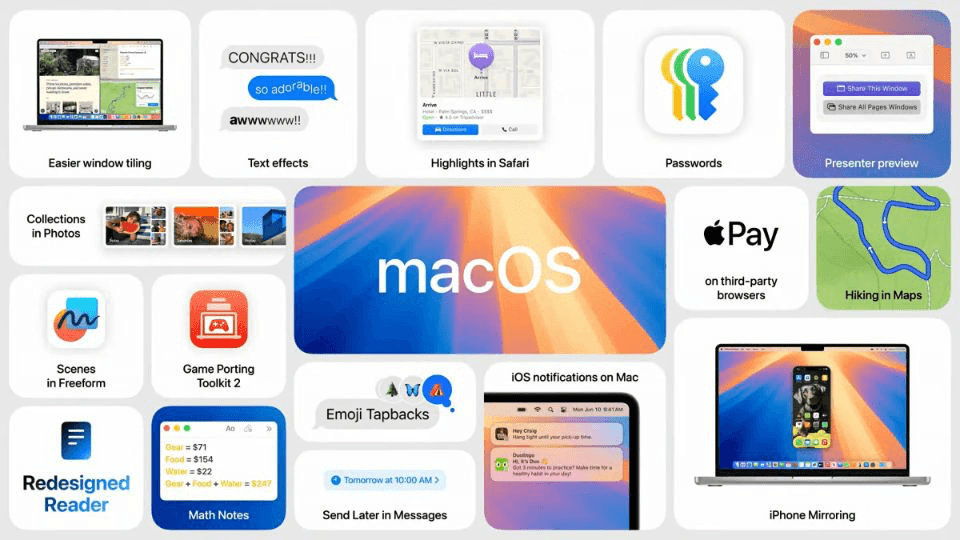
One of the coolest features? Widgets on the desktop. Yeah, no more swiping over to a separate screen to check the weather or your reminders. Now, I’ve got my calendar, weather, and to-do list sitting right on my desktop. It’s super convenient and makes multitasking so much easier. I found myself glancing at them throughout the day without needing to open separate apps, which really streamlined my workflow.
iPhone Screen Sharing: Seamless Integration
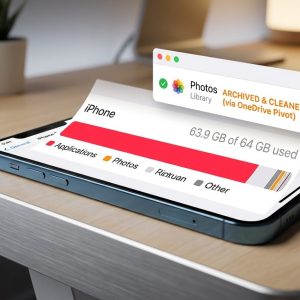
One of the standout features of macOS Sequoia is the iPhone screen sharing capability. This new integration makes it incredibly easy to mirror your iPhone screen directly to your Mac without any extra apps or cables. I gave it a try while navigating through some apps on my iPhone, and the transition to my Mac’s screen was seamless. Whether you’re presenting something or just want a bigger screen to watch content from your phone, this feature really changes the game. I can already see myself using this regularly for work presentations and video calls.

Powerful Performance Boosts
Now, let’s talk performance. The update to macOS Sequoia brought noticeable speed improvements across the board. I’m running this on a MacBook Pro with an M1 chip, and everything feels snappier—from launching apps to exporting videos. I fired up Final Cut Pro for some quick edits, and even with multiple 4K videos in the timeline, it was smooth sailing. Sequoia really takes full advantage of the M-series chips, and you can feel it in the day-to-day use.
Safari Supercharged
Safari got a nice upgrade, too. Apple’s promising that Safari on Sequoia is the fastest browser in the world, and honestly, I believe them. Web pages load noticeably faster, and managing multiple tabs is smoother. The Profiles feature is what really impressed me, though. I set up different profiles for work, personal stuff, and entertainment. Now, I can switch between them with just a click, and it keeps everything—from history to extensions—separate. It’s like having three different browsers in one.
Passwordless Logins with Passkeys
Another cool addition? Passkeys. This is Apple’s move to phase out passwords, and it’s way more convenient than I expected. After setting up my Passkeys, logging in to my favorite websites felt seamless—just a quick Face ID or Touch ID, and I’m in. It’s one of those features that, once you try it, you wonder how you ever lived without it. Plus, it feels more secure since you’re no longer relying on the same password everywhere.
Game Mode: Macs Finally Get Serious About Gaming
If you’re into gaming like me, this one’s gonna catch your attention. macOS Sequoia introduces Game Mode, which optimizes system performance specifically for gaming. I gave it a try with Resident Evil Village, and wow—the improvement was noticeable. There was less lag, the visuals were crisper, and the whole experience just felt more immersive. It’s clear Apple is trying to make Macs more game-friendly, and Sequoia is a solid step in that direction.
All About That Battery Life
One thing I was curious about was how Sequoia would impact my battery life. With all the new features and performance boosts, I was half-expecting my battery to drain quicker. But surprisingly, battery life has held up really well. After a full day of work—browsing, video editing, and streaming—I still had enough juice to get through some Netflix before bed. Apple claims improved power efficiency, and I’d say they’re delivering on that promise.
Siri is Smarter (And More Chill)
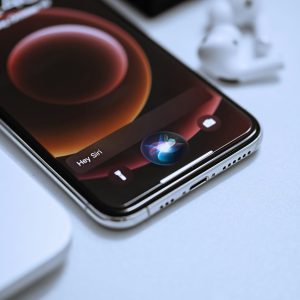
Siri got a nice upgrade, too. She’s more natural and conversational now. I noticed when I asked random questions, Siri didn’t feel like a robot as much anymore. You can just say “Siri” instead of “Hey Siri,” which might seem like a small thing, but it’s kinda nice when you’re multitasking and don’t wanna say the full phrase. Plus, it feels like Siri’s getting better at understanding context.
Some Bugs, But Nothing Major
Of course, no OS is perfect. I did notice a few minor bugs, like widgets not refreshing properly every once in a while, but nothing that can’t be fixed with a quick reboot. Apple usually squashes these early-release bugs pretty fast, so I’m not too worried.

Should You Upgrade?
In short: definitely. macOS Sequoia isn’t just an incremental update—it brings a lot of new, exciting features that really make using a Mac even more enjoyable. From the new widgets, enhanced Safari, iPhone screen sharing, and Game Mode, to performance upgrades that make multitasking and gaming more seamless, it feels like a serious step up. If you’re someone who spends a lot of time on your Mac, this update is gonna make a real difference.
Curious to try macOS Sequoia for yourself? Head over to the official Apple website to check out all the details and get started!
If you’re interested in getting the most out of your Mac experience, don’t forget to check out our MacBook Tips category. You’ll find plenty of helpful insights and tips to make your Mac even more powerful!