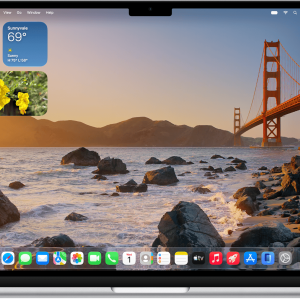
As someone who relies heavily on my Mac and iPhone working together seamlessly, the integration improvements in iOS 18.1.1 were a pleasant surprise. The iPhone mirroring feature, which I explored in iOS 18, has become even more refined.
I used it recently to play a quick chess game on my Mac using my iPhone’s screen. What amazed me was how little memory it consumed—just around 65.9MB. Even more impressive was how smooth the experience felt, with zero lag or interruptions. This feature is perfect for multitasking, especially during work calls when I need to mirror presentations or quickly transfer content from my iPhone to my Mac.
Enhanced Widgets for a More Personalized Experience

Widgets are no longer just “nice-to-have” additions; they’re essential tools for staying organized and connected. In iOS 18.1.1, Apple introduced new customization options that allow widgets to adapt to different modes (like work or personal).
For instance, I now have a widget that automatically changes to display my favorite workout playlist when I set my iPhone to Fitness Focus. It’s a small tweak, but it makes the interface feel smarter and more attuned to my routine.
Battery Optimization for Older Devices
Battery life has always been a sensitive topic, especially for those of us with older iPhones. While I was initially skeptical, iOS 18.1.1 seems to have delivered noticeable improvements. On my backup iPhone 13, I found the battery lasted about an hour longer during moderate use compared to before the update.
This enhancement might not be groundbreaking for users with the latest models, but for anyone clinging to their older device, it’s a welcome boost.
Hidden Gems: Subtle but Impactful Changes
One feature that I stumbled upon is the redesigned Control Center shortcut for AirDrop. It’s now easier to access and prioritize AirDrop requests without diving into settings. This was a huge help last week when I had to share large files with a colleague during a meeting.


Another subtle tweak is the smoother scrolling in Safari, which makes browsing on smaller screens more comfortable.
Should You Update? My Take
After spending a few days with iOS 18.1.1, I can confidently say it’s more than just a bug-fix update. The improvements in integration, personalization, and efficiency genuinely enhance the overall experience.
If you’re on the fence about updating, here’s my advice: if you rely on Apple’s ecosystem, the integration updates alone are worth it. And if you’re using an older iPhone, the battery tweaks might pleasantly surprise you too.
For me, this update didn’t just meet expectations—it exceeded them. Sometimes, it’s the little things that make the biggest difference.
Learn More
For a full list of updates and features, check out the official Apple iOS 18.1.1 release notes.
Want more articles like this? Check out our Gadgets category for the latest insights and updates!